Public Worlds, Maturity Ratings and Making Public Worlds Affordable

We’ve updated our service with several highly-requested features which should help create a more unified Kitely community. These new features will enable you to easily find other Kitely users who are currently online and explore the worlds that they’ve built.

Public Worlds

We added a directory of all the public worlds that you can visit. The Public Worlds tab now lists all the worlds whose access permissions allow everyone to visit them.
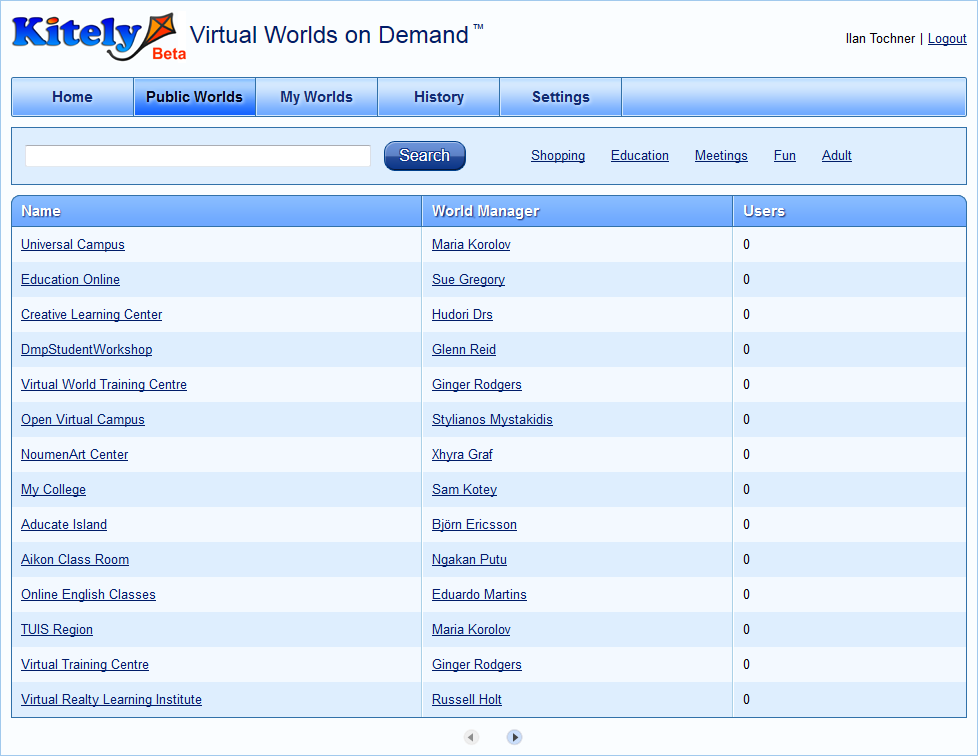
This has been a frequently requested feature for a very long time, and we’re very excited to have finally implemented it. The Public Worlds tab will enable you to easily discover new worlds to visit, and find where other Kitely users are currently hanging out.

Within the list of public worlds, worlds are sorted as follows:

  • Worlds that are currently being visited by many users are listed before worlds that have fewer users visiting them.
  • When several worlds have the same number of visitors, worlds where the world manager covers the visitors’ fees are listed before worlds where visitors cover their own fees (we explain more about this later).

It is possible to search for worlds using keywords. In addition, we provide a few quick-search links for common categories of virtual worlds: shopping, education, etc. In order to get your world to appear in these quick searches, include in the world name or description keywords related to those terms. For example, worlds that include the words “buy” or “shopping” will appear when the “Shopping” link is clicked.

Maturity Ratings

Our terms of service permit users of all ages. However, as not all content is appropriate for children, we’ve added maturity ratings to Kitely in order to prevent users from viewing worlds that are inappropriate for their age. Each world and each user have a maturity rating; users are prevented from viewing worlds whose maturity rating is higher than their own.

Our system uses the following maturity ratings:

  • General: worlds which are family safe. Age limit: none.
  • Moderate: worlds which contain non-adult content and activities. Age limit: 13 and up.
  • Adult: worlds with nudity, violence, or other adult activities. Age limit: 18 and up.

World managers are responsible for setting the appropriate maturity rating for their worlds. If they mislabel their world you can report it by pressing the “Report” link that is now included in all World Pages.

The default maturity rating for users is Moderate. Users who want to raise their maturity rating to Adult need to enable us to access their birthday on Facebook, so that we can verify that they are over 18.
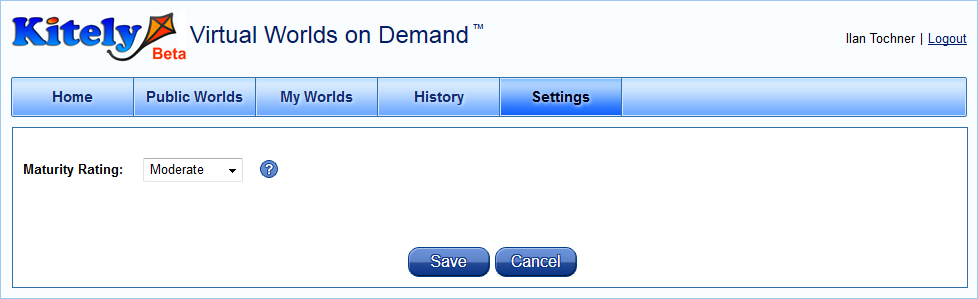
Maturity ratings have the following effects:

  • A user can’t visit worlds whose maturity rating is higher than his or her own maturity rating. They can’t even see the world’s World Page, because the World Page might contain text or pictures that are inappropriate for their age.
  • In the Public Worlds tab, a user won’t see worlds with a higher maturity rating than his or her own maturity rating.
  • In the Public Worlds tab, if a user’s maturity rating is set to Adult then he or she will see one more quick-search link: “Adult”.
  • A user can’t create, edit, copy or export worlds with a higher maturity rating than his or her own maturity rating.

Report a World for Violating Kitely’s Terms of Service

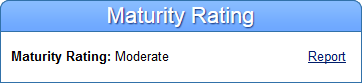
Each world’s World Page now displays the maturity rating of that world, and a link to report the world if it contains unlicensed or age-inappropriate content. If we receive reports about mislabeled worlds, and we find that they are justified, then we will first contact the world manager and ask him or her to fix the problem (e.g., by raising the world’s maturity rating). If our request does not lead to the desired results then we may disable the world, or even the world manager’s entire account.
Making Public Worlds Affordable

Until now world managers always paid the world visit fees for all the visitors to their worlds. This caused some people to fear that if they made their worlds public it may end up costing them a lot of Kitely Credits. We’ve therefore made it possible for world managers to choose who will pay the world visit fees: the world manager or the visitor.

In order to support this feature, each world now has a list of access permissions. The world manager adds to this list all the types of users that are allowed to visit that world. For each group of users, the world manager chooses whether the users will pay the fee for their visit, or the world manager will pay the fee for them. This is done by setting Visitor Cost / Minute:

  • Free – 1 KC will be deducted from the world manager’s balance each minute.
  • 1 KC – 1 KC will be deducted from the visitor’s balance each minute. The world manager will pay nothing.

For example:
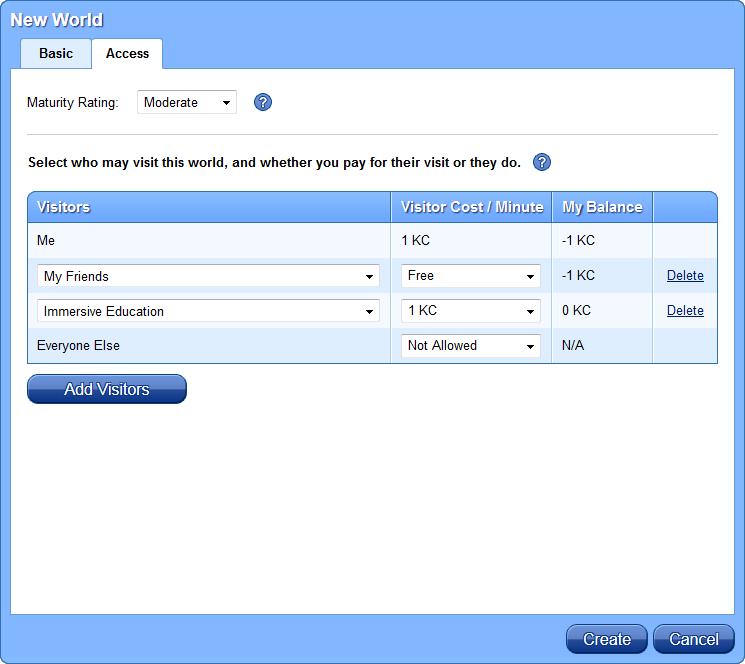
In this example:

  • You pay 1 KC for your visits. This is a standard fee and can’t be changed.
  • Your Facebook friends can visit the world at your expense.
  • People who belong to the Facebook group “Immersive Education” can visit the world at their own expense.
  • Anyone who doesn’t belong to either of these categories can’t visit this world.

The Public Worlds tab shows only worlds where the visitor category “Everyone Else” is set to allow such users to visit the world. Within the list of public worlds, when several worlds have the same number of visitors, worlds where the world manager pays for everyone’s visits appear before worlds where the visitors pay for themselves.

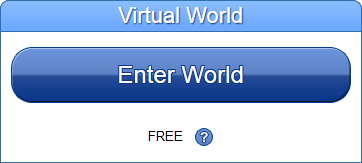
When you view a World Page you will now be able to see the price of visiting that world below the “Enter World” button. Worlds which you can enter at the world manager’s expense will display this:
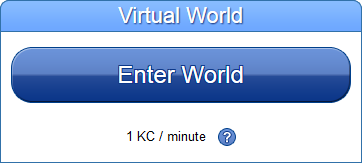
Worlds which you can enter at your own expense will display this:
Kick Users from a World

If the world manager changes the access controls for a world then users that are no longer included in the new permissions are removed from that world immediately. You can use this feature to kick everyone out of one of your worlds by deleting all of the visitors from that world’s access permissions.

Note: if you change the price of visiting a world then this change only affects visitors that enter the world after the price has changed. This doesn’t affect visitors already in the world. However, as mentioned above, you can have those users removed from your world. If you then edit the world’s access permissions to allow them to re-enter the world then they will be able to do so using the new price that you’ve set.

Shopping Scripts Support for Freebies

We’ve enabled limited economy support in Kitely so that shopping scripts will work for freebies (items that have a cost of 0 L$). This means that you can start building your in-world vendor reputation even before we add commerce support to our service.

To see an example of how this works, visit the Linda Kellie Designs world which is already using such scripts. While you’re there you’ll be able to pick up hundreds of free skins, clothing, buildings, and other items that are perfect for giving your avatar and worlds a more professional look.
See Which Worlds You Visited in the History Panel

We’ve updated our service with several bug fixes and enhancements.

One notable enhancement is that the History panel now shows both visits that other people made to your worlds, and visits that you made to other peoples’ worlds. Previously, only visits to your own worlds were displayed. This feature lets you keep track of where you’ve been. One benefit that this gives you is that you can now use the History panel as an automatic “bookmarks” list of your favorite worlds.

Faster World Startups, Less Server Lag and Faster Rez Times

It’s been a while since we last updated our site. We spent a lot of time developing our backend and today we finally rolled out the following major upgrades to our service.

Opensim 0.7.2 Final

We were one of the first commercial grids to run OpenSim 0.7.2 RC1 and now we’re one of the first to run the release version of OpenSim 0.7.2.

New Assets System

Assets are pieces of content such as textures, sounds, animations, etc. Assets are by far the largest part of the data used in OpenSim, and therefore handling assets efficiently is important for making worlds run smoothly. We’ve created a new cloud-based assets system, which is faster and more scalable than the asset server that is part of OpenSim. We call it Cassy: the Comprehensive Assets System. Cassy enables Kitely to have faster world startup times, less server lag and provide faster viewer rezz times than grids based on standard OpenSim. Here are a few of the improvements in Cassy (there are many more).

OpenSim normally stores assets in a database. This database is managed by a single Assets Server, which needs to provide its service to all the active worlds. The database and the assets server are bottlenecks, slowing down all the worlds. To remove this bottleneck, we no longer store assets in the database: we store them in Amazon’s cloud storage system, S3. Unlike the database, which can only be accessed by the Assets Server, any instance of OpenSim can access S3. This allows us to distribute the work of the assets server among all of the sims: whenever any instance of OpenSim encounters a new asset, it uploads it directly to S3. This is faster and more scalable than sending the asset to the Assets Server, where it would have stored it in the database. Similarly, when OpenSim needs to load an asset, it downloads it directly from S3 instead of requesting the asset from the assets server.

Another improvement is how we handle duplicate assets. It’s quite common for several users to upload the same asset in a grid such as ours where many users get their content from third-party OpenSim sites. Normally this would cause two copies (or more) of the asset to be stored in the assets server. But Cassy detects such duplicates and stores only a single copy of the asset, improving storage and cache efficiency.

We also improved how viewers download textures. Textures are the largest and most common type of asset, and viewers spend a lot of time downloading them from OpenSim. Modern viewers, such as the Second Life Viewer versions 2 and 3, load textures using HTTP (older viewers used a different protocol, called UDP). OpenSim spends a lot of time sending the textures to the viewers. To lighten the load, we now serve textures from web servers running Apache. When a viewer requests a texture OpenSim redirects it to Apache, where it can download the texture. Apache is much more efficient than OpenSim at serving files so this makes the server run more smoothly, and viewers can display worlds faster.

Unfortunately not all viewers support HTTP redirection, so we only enable this feature for viewers that we’ve tested and we know can do it. This currently includes the Second Life Viewer 2.x and 3.x, and Firestorm 2.x. (Firestorm 3.x doesn’t work with Kitely at present, but they will fix this).

We also improved handling of scripts. We already save compiled scripts; this was explained in a previous blog post. Cassy now employs several additional techniques that help it load scripts significantly faster than standard OpenSim. This means that in most cases script-heavy worlds that would take minutes for all the scripts they include to start running in standard OpenSim will take seconds to start running in Kitely. Scripts still need to be compiled when a newly imported OAR file is first started, which may result in slower startup times, but after the scripts have been compiled worlds should now become fully functional much faster than they did previously.

Other Improvements

There was a problem where the terrain would appear striped. It was caused, curiously enough, by having worlds whose locations in the Kitely grid had very high coordinates. We moved all the worlds closer together and the problem disappeared.

We enabled physics for meshes so you should no longer encounter invisible boundaries around mesh objects.

People started uploading very big worlds into Kitely so we increased the upload size limit for OAR files from 250 MB to 1 GB. In addition, we made the system more robust to prevent such uploads from failing occasionally.

Copy World and Export World Respect Permissions

Backend Improvements

We rolled out a major system upgrade today, improving security and robustness amongst many other backend enhancements. We’re always making such improvements, but now they’re a particular priority as we’re getting closer to turning on billing.

Copy World and Export World now Respect Permissions

One user-visible change that we’ve made is an improvement to Copy World and Export World. To recap: Copy World lets you create multiple copies of a world in your Kitely account. Export World converts the world into an OAR file, which you can then download from Kitely and upload into other OpenSim grids.

Both of these features now respect object permissions: they will only copy or export objects (prims) that you are allowed to copy. Objects for which you have insufficient permissions will not be copied/exported. This change makes Kitely a better platform for content creators to sell their work, because it’s now much harder to create unauthorized copies of other people’s content.

These are the object permissions we check for when someone attempts to copy or export a world:

  • If they don’t own the object then the object must have the “Everyone Copy” permission in order for it to be copied into the new world.
  • If they own the object then it must have the “Owner Copy” permission in order for it to be copied. If the world is being Exported then the object must also have the “Owner Transfer” permission, because exported worlds can be given to other people.

When dealing with linked prims, we use the same logic as Second Life does: if any of the prims in the linkset have insufficient permissions then we don’t copy/export the entire linkset. We believe this behavior provides the strongest security for content creators. However, we did consider other alternatives, such as removing only the individual prims that lack permissions, and perhaps replacing them with placeholders (simple boxes). If you have thoughts about how this should work then please let us know in the comments.

This feature works on the level of objects, not individual assets. If someone is allowed to copy an object then they’re automatically allowed to copy all the assets used in that object as well. And conversely, if someone isn’t allowed to copy an object then that object’s assets will not be included in the copied/exported world.

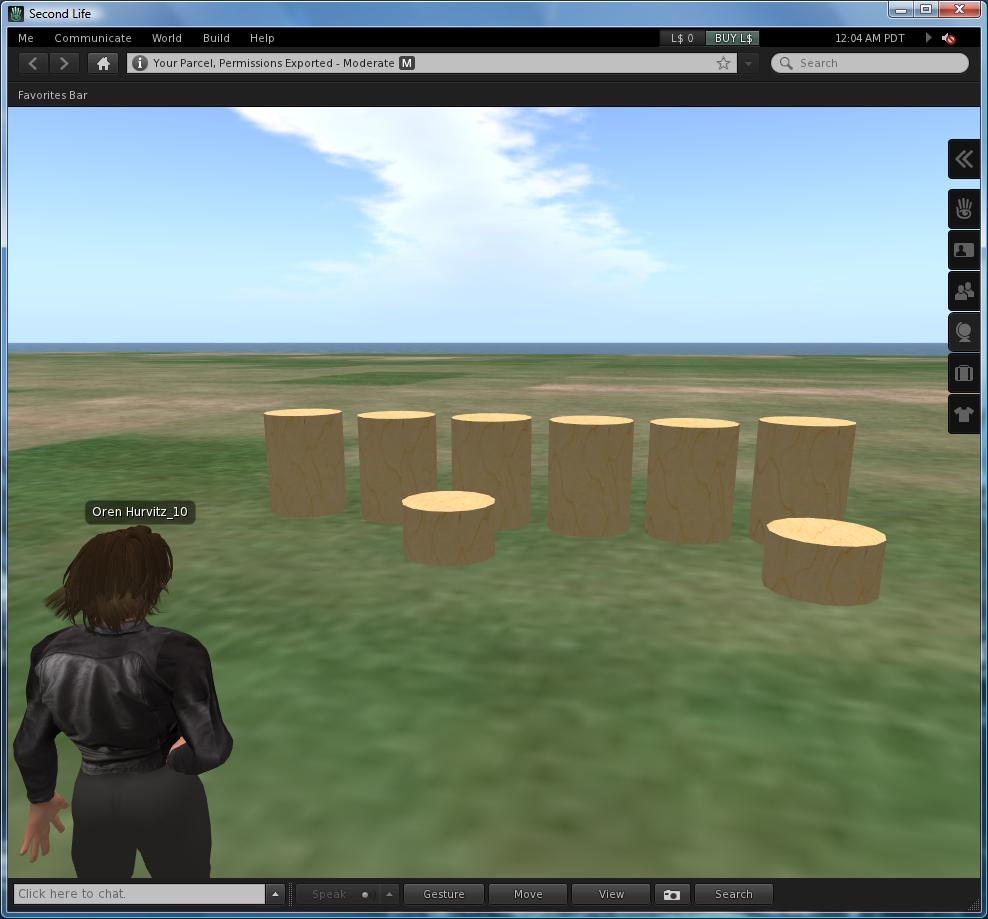
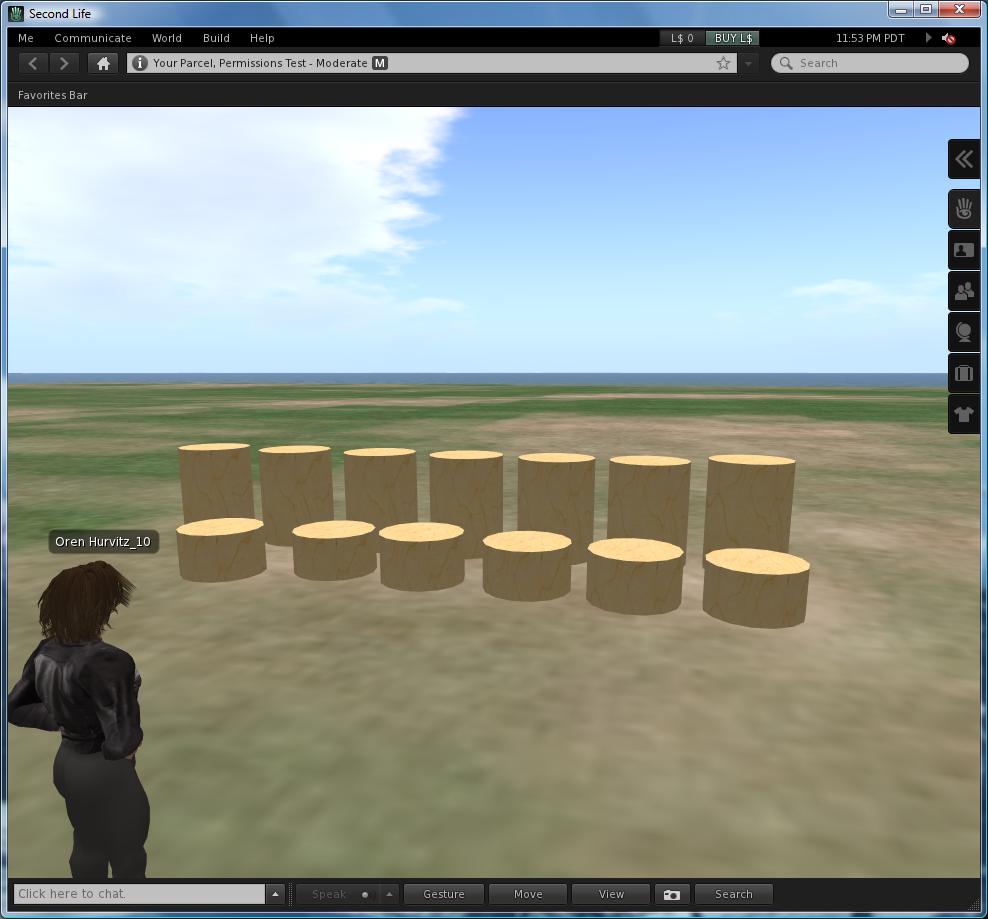
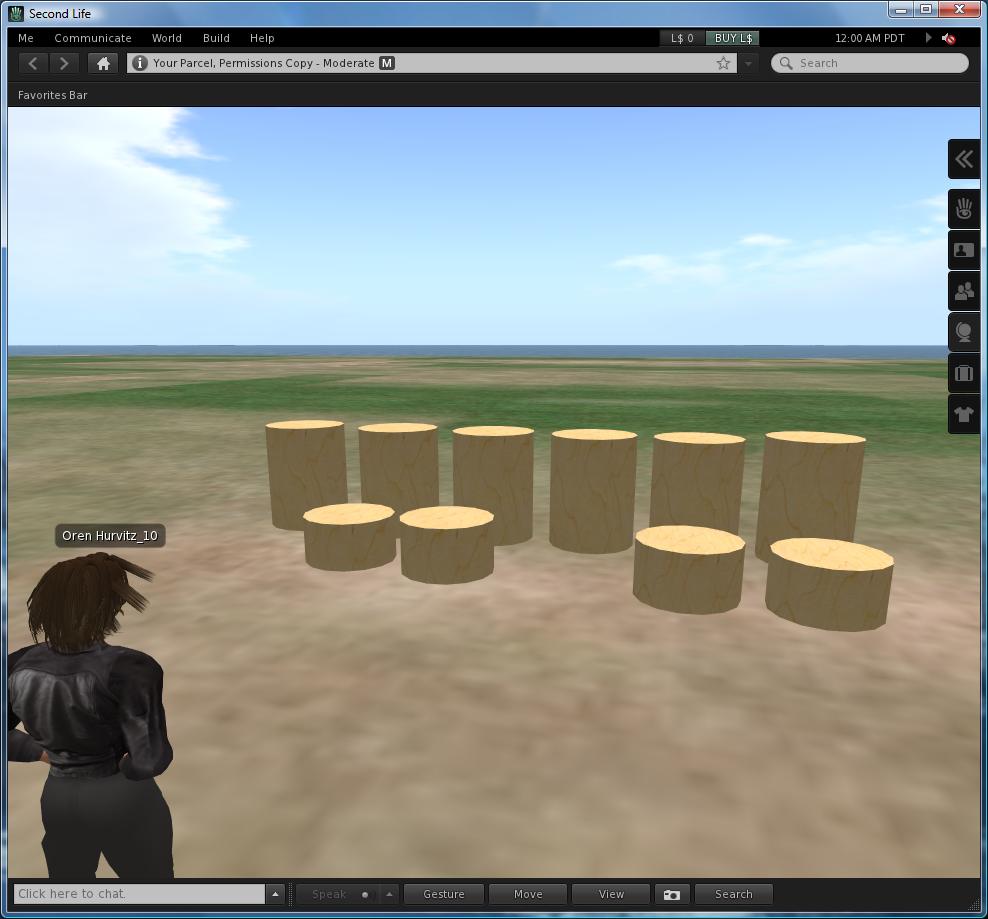
For example, here’s a world with a few test objects. The screenshot doesn’t show the permissions of the objects, so I’ll describe them. The closer row (short cylinders) contains objects that are owned by the current user. The objects contain various combinations of Move, Copy and Transfer permissions. The farther row (tall cylinders) contains objects that aren’t owned by the current user. These objects all have the “Everyone Copy” permissions, except for the left-most cylinder.

Permissions Test - Original

Here are the results of a Copy World operation. A few of the objects have not been copied:

Permissions Test - Copy

Here are the results of an Export World operation. A few more objects have not been copied. Export World is more restrictive than Copy World, because we require objects to have the Transfer permission as well (in addition to the Copy permission).

Permissions Test - Exported

That’s it! If you have comments about how this feature works, or you find bugs, then please let us know. After we get some feedback, we will contribute this feature to OpenSim so more content creators will feel comfortable offering their wares to the OpenSim community.

Modified OpenSim to Improve World Startup Time

We made another improvement to OpenSim to make worlds start faster. When a world starts, OpenSim begins loading its assets. Some assets, e.g. textures or scripts, may be used in many prims. When that happens, OpenSim requests the asset multiple times from the assets service. In normal use this isn’t a problem because the asset is in the local cache so these requests are instantaneous. However, when the world starts the asset isn’t in the cache yet, so OpenSim downloads it multiple times. This is wasteful and slows down the world startup.

To fix this, we modified OpenSim so that additional requests for an asset are delayed until the first request has finished. This means the additional requests will be fulfilled from the local cache, which is very fast.

Faster Startup for Worlds with Many Assets

We updated our system today with various performance improvements, compatibility upgrades and requested features. The following updates may enhance your user experience:

Faster Startup for Worlds with Many Assets

We improved OpenSim to allow worlds with many assets to start faster. One of the things OpenSim does when a world starts is to update the world’s map image. Usually this is very fast (less than a second). However, it can take much longer for worlds that include many assets. We’ve seen delays of 20-100 seconds for complex worlds such as Xhyra’s Place, Chakryn Forest and Universal Campus.

We fixed this by moving the updating of the map image out of the main flow and into a separate thread. This means it no longer affects the time it takes the world to start. Thus, the startup time is reduced by up to 100 seconds!

LinkedIn Button

We added a button that allows you to share the Kitely homepage, or an individual world, with your LinkedIn contacts. This means that you can now easily spread the word about your Kitely worlds to four major social media sites: Facebook, Twitter, LinkedIn and Google+.

Improved Internet Explorer 9 Support

We now support Internet Explorer 9 natively. We did support IE9 previously, but this was done by setting it to use IE8 compatibility mode. Now we run in native IE9 mode.

Improved Support for Non-English Names

We updated Kitely today to address several recently discovered issues. While most of them were backend-related, we also fixed two user-visible problems:

Improved Support for Non-English Names

We automatically create avatars based on users’ names in Facebook. This is not always straightforward because Facebook allows names that contain non-English characters, but OpenSim does not. To bridge this gap, we convert such names into the closest possible English approximation.

This process was not as robust as it could have been, but now we’ve improved it significantly. Users who haven’t been able to login to virtual worlds previously, because their names contain non-English characters (including characters with accents), should find that they can now login successfully.

Improved “Enter World” Reliability

There was a problem that was encountered by a few users, where clicking “Enter World” didn’t succeed in logging in to the world at first. Clicking “Enter World” a second time did work. This problem occurred mainly with large and complicated worlds, and it has now been fixed. It should now be possible to log into all worlds on the first try.

Backend and OpenSim Improvements

We’ve updated Kitely today. Most of the updates are on the backend, e.g. to improve stability and create some of the infrastructure that we’ll need in order to implement billing. We’ve also added some user requested features and made some improvements to OpenSim:

Faster script loading

We’ve added script caching. When a region starts, OpenSim normally compiles all of the scripts used in the region. If the region has many scripts then this can take a long time. To make this process faster, we now save the compiled scripts and reuse them whenever the region is started. This can produce significant improvements! For example, one script-heavy world (containing about 900 scripts, 500 of which are unique) takes 10:42 minutes to compile the scripts initially. But from then on, each time the world starts it takes only 2:46 minutes to load the scripts. It should be noted that the world becomes usable even before the scripts are all ready. These timings only indicate when all of the scripts become ready, but people can enter and start using the world even before the first one is compiled.

Exported OAR files include creator information

When we export a world, we now include additional creator information. Previously, only the Creator UUID was saved. Now we also save the creator’s name. So if you export your world, and someone else imports it, you will still be listed as the creator of the objects in the world and the asset permissions you set will be retained.

Direct URL for downloading Kitely Plugin

We’ve added a permanent URL that can be used to download the latest version of Kitely Plugin: https://www.kitely.com/file?type=plugin. Most users don’t need to use this URL, because the World Page automatically downloads the plugin. However, in some cases it’s useful to have a direct URL, so we made it available.

Updated Signup Bonuses

During the beta period we give free Kitely Credits to new users. We used to give a different amount of KC to users depending on the number of Facebook friends they had: 50 KC if they had at least 20 Facebook friends, and just 10 KC if they didn’t. We had chosen these amounts in order to prevent people from abusing our system to get a lot of free Kitely Credits using throwaway Facebook accounts.

However, this policy prevented many honest people from trying out Kitely, and now that we’re topping off peoples’  accounts to 1000 KC each week it doesn’t even serve its intended purpose anymore.

Therefore we’ve decided to increase the number of free Kitely Credits that we give to new users to 200 KC regardless of the number of Facebook friends they have.

We’ve also updated the World Manager bonus to 400 KC, so that new users who create a world can get a total of 600 KC to play with without needing to contact us or wait for the weekly KC top-off.